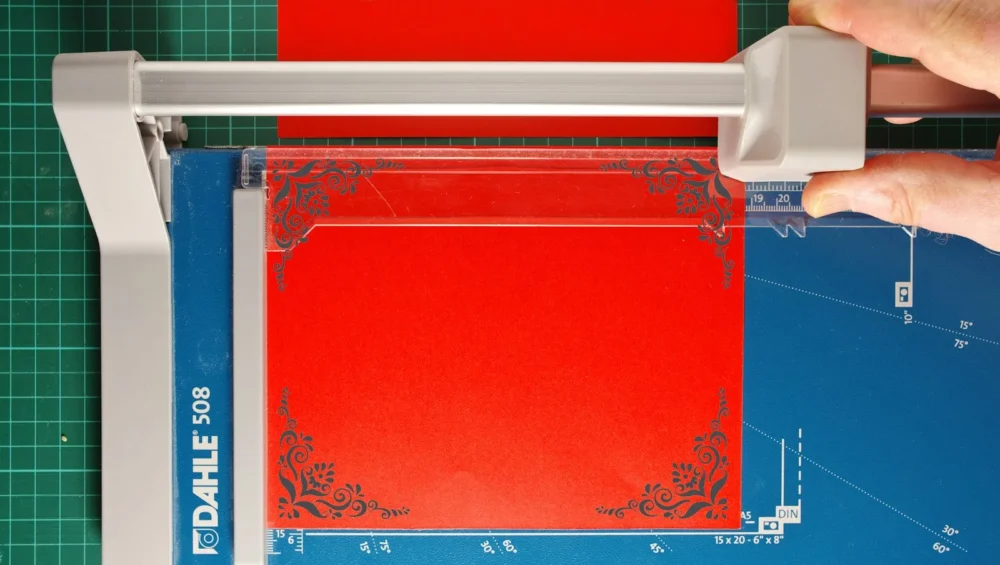
To use a paper cutter, place it on a flat, stable surface, check that the guard and blade latch work, and slide the paper against the back gauge. Clamp the sheets, grip the handle, and bring the blade down in one smooth stroke while your fingers stay behind the guard. Release the clamp, remove the paper and latch the blade. This guide from Decent Stationery explains each step and the safety rules that matter.
Key Takeaways
- Inspect the guard, blade lock and clamp at the start of each day of use.
- A desktop cutter handles 5 to 20 sheets. Stay within the rated capacity.
- Cut in one smooth, continuous stroke and do not stop halfway.
- Keep your hands behind the guard and never reach under the blade.
- Lower the handle and secure the latch whenever you finish.
What Types of Paper Cutter Are There?
Short answer: Wikipedia describes three designs: the guillotine, the rotary cutter and the penknife style.
| Type | How it cuts | Notes |
|---|---|---|
| Guillotine | A long, curved steel blade attached to the base at one corner | Straight cuts of single sheets or stacks |
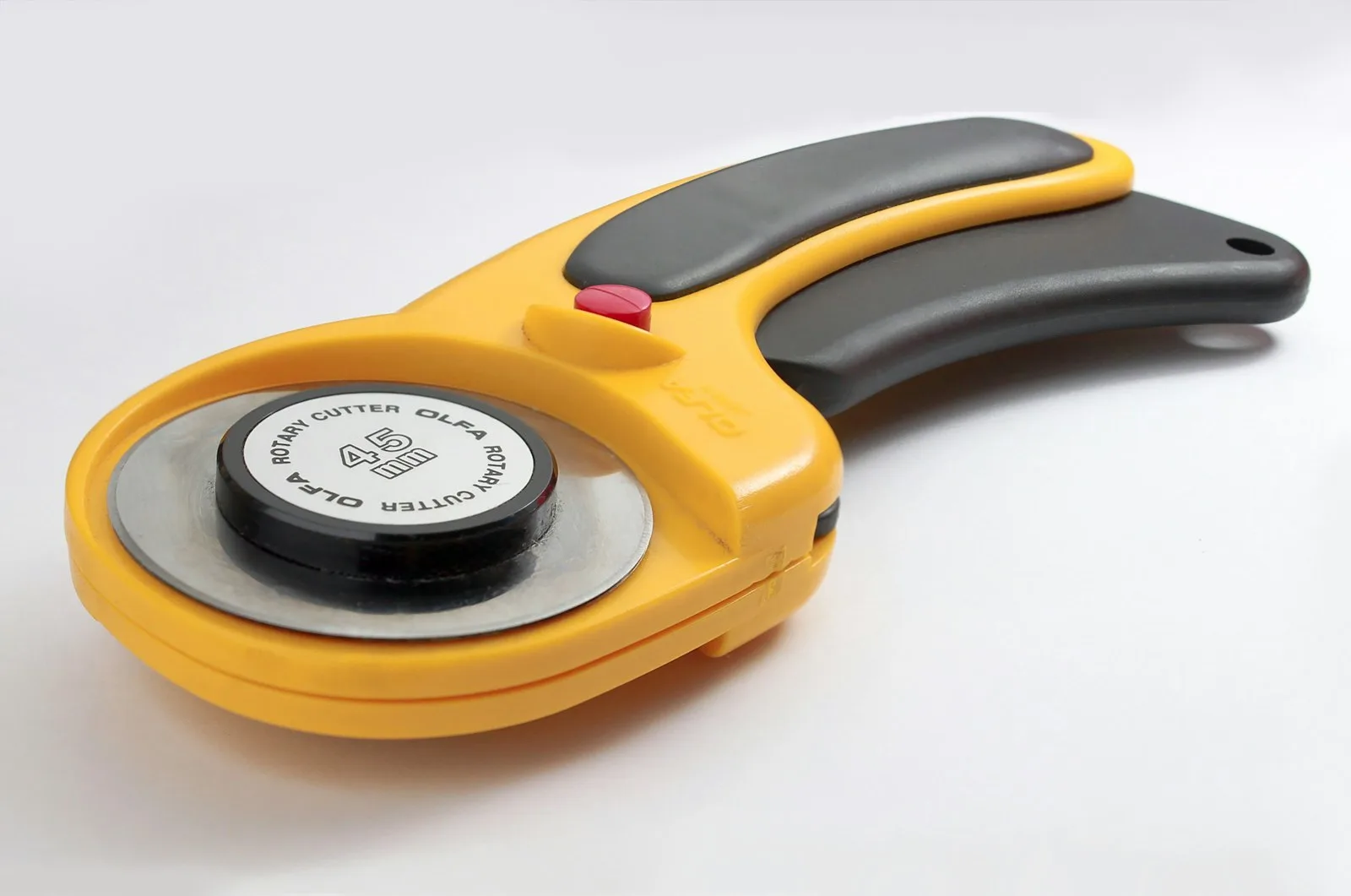
| Rotary | A rotary blade | Higher-end versions are used for precision cutting and are popular for trimming photographs |
| Penknife style | A simpler double-edged design that cuts like a penknife | Cheaper, but tends to tear paper |
According to the same source, paper cutters were developed and patented in 1844 by the French inventor Guillaume Massiquot. It describes the rotary cutter as almost impossible for the user to cut oneself with, except while changing the blade. The University of Washington Environmental Health and Safety office says that paper trimmers and stack cutters are inherently safer than guillotine cutters, and that guillotine cutters are inherently more dangerous.
How Do You Use a Guillotine Paper Cutter Step by Step?
Short answer: inspect, measure, clamp, cut and release. MyBinding sets out five steps.
Step 1: Inspect the machine
Check that the blade is sharp, that the deck is free of debris and that the guard moves freely and returns to its guarded position. MyBinding reminds users that a dull blade tears paper instead of slicing it. If the cutter is new, read the maker’s instructions first, as the Qualico safety practice advises.
Step 2: Measure and mark
Use the ruler markings on the deck and the back gauge. For a cut measured from an edge, set the back gauge to the size you want and butt the paper against it. For a cut that follows a printed line, align the paper with the blade indicator line and look again before you clamp. The back gauge must sit at 90 degrees to the blade path, which MyBinding says you can check with a machinist’s square. It also advises jogging the stack fully before positioning it, because fanned stacks have uneven edges.
Step 3: Clamp the paper
Engage the clamp firmly. Without it, blade pressure can push the lower sheets forward and give a cut that is not square. On some desktop models, a stack of about five sheets or fewer may need only manual pressure.
Step 4: Make the cut
Grip the handle firmly, with one or two hands depending on the model, and press down with smooth, continuous pressure through the whole stroke. Heavy-duty cutters need substantial force, so MyBinding advises using your body weight through the handle rather than arm strength alone. The University of Washington sheet adds that the blade should be lowered slowly to begin the cut, and that you should not try to catch the paper as it is being cut. Do not stop and restart halfway, because a partial cut can tear the paper at that point.
Step 5: Release and remove
Release the clamp and remove the cut paper. Keep your fingers away from the blade while it returns to the raised position. Look at the stack from the side to check that the edges are consistent. Then lower the handle and secure the latch, as the University of Washington advises.
How Many Sheets Can a Paper Cutter Cut?
Short answer: from 5 sheets on a small desktop cutter to 500 or more on a stack cutter.
| Machine class | Stack capacity | Typical use |
|---|---|---|
| Desktop | 5 to 20 sheets | Office document trimming |
| Mid-range | 15 to 40 sheets | Print shop and volume cutting |
| Heavy-duty | 30 to 100 or more sheets | Production cutting |
| Stack cutter | 100 to 500 or more sheets | Commercial print finishing |
These figures come from MyBinding. The University of Washington adds a plain rule: do not cut more paper than the cutter’s capacity rating allows. Photo paper deserves a note of its own. MyBinding says its resin coating dulls blades faster.
What Safety Rules Should You Follow?
Short answer: keep the guard on, keep your hands out of the blade path, and never use a damaged cutter.
- Guard, latch and spring: the University of Washington says not to use a guillotine that lacks a working guard, latch or tension spring.
- Hands: keep fingers behind the guard and never place a hand under the blade.
- Surface: use a stable, flat table, and pick up fallen paper at once to avoid trips.
- Clothing and hair: keep loose clothing, jewellery and hair clear of the blade.
- Carrying: never carry the cutter by its handle or blade.
- Distraction: do not operate the cutter while distracted.
- Material: MyBinding says never to cut stapled or paper-clipped documents.
The University of Washington notes that paper cutters can cause cuts, lacerations and amputations. A Qualico safety practice document for office staff lists improper use of equipment, cuts and lacerations, cluttered workstations, pinch points, repetitive strain injuries and slips and trips among the hazards, and says to clean up paper scraps immediately. In the United Kingdom, the Health and Safety Executive published a guide in 1999 for power-operated guillotines in the printing industry, which shows how seriously larger machines are treated.
What should you check each day?
MyBinding recommends inspecting the safety guard, blade lock and clamp at the start of each use day, with a more thorough monthly inspection of the blade, handle and stability of the machine. Blades on a light-use desktop cutter may need service once or twice a year. MyBinding also says never to use WD-40 on cutting blades.
What If the Cut Comes Out Crooked or Torn?
Three causes account for most poor cuts, according to the sources above.
- A dull blade tears the paper. Sharpen or replace the blade.
- A back gauge that is not square gives a cut that is not square across the stack. Check it at 90 degrees to the blade path.
- Stopping mid-stroke leaves a ragged line. Make each cut in one movement.
MyBinding’s guide adds that a rotary trimmer suits thin plastic film, while a standard guillotine is not appropriate for thick or rigid plastic.
Choosing a Paper Cutter in Pakistan
Match the cutter to the work. A school desk, a small shop and a print office need different capacities. For light home and school use, a small trimmer may be all you need. For offices, see our guide to essential office supplies for small businesses. You can compare models and paper cutter price in Pakistan on our collection page. For crafts, a trimmer pairs well with the supplies in our guide to craft punches, glitter and stencils. A pencil or a ballpoint pen is handy for marking your cut lines. If you pack parcels, read our packing materials buying guide.
Frequently Asked Questions
It depends on the class of machine. MyBinding lists 5 to 20 sheets for desktop cutters, 15 to 40 for mid-range models, 30 to 100 or more for heavy-duty cutters and 100 to 500 or more for stack cutters. Never cut more than the rated capacity.
Not a guillotine. MyBinding states that children should never use guillotine cutters. The University of Washington says paper trimmers are safer than guillotine cutters because the blade is never exposed.
A dull blade tears rather than cuts, according to MyBinding. Stopping and restarting in the middle of a stroke can also tear the paper at that point, so use one smooth, continuous motion.
No. MyBinding says never to cut through stapled or paper-clipped documents, and it lists plastic sheets, rubber, fabric, wire and metal as materials not to cut. Its guide adds that a rotary trimmer suits thin plastic film.
MyBinding says light desktop use may need blade service once or twice a year. It also advises inspecting the safety guard, blade lock and clamp at the start of each day of use.
Down and latched. The University of Washington says to secure the latch when the cutter is not in use, and to keep the handle in the down position.
Conclusion
Using a paper cutter well comes down to a short routine. Inspect the machine, measure against the gauge, clamp, make one smooth cut, and latch the blade. Respect the capacity rating and keep your hands behind the guard. When you are ready to buy, visit Decent Stationery and choose a cutter that suits your volume of work.
Sources and Further Reading
- MyBinding: How to Use a Guillotine Paper Cutter
- MyBinding: Safety Precautions for a Guillotine Paper Cutter
- University of Washington Environmental Health and Safety: Paper Cutter Focus Sheet
- Qualico: Use of Office Paper Cutter
- Wikipedia: Paper Cutter
- Health and Safety Executive: Safe Use of Power-Operated Paper-Cutting Guillotines
About the Author
Written by the Decent Stationery team in Lahore. We sell school, office and art stationery online across Pakistan, including paper cutters. Safety rules and capacities in this guide come from the suppliers and safety offices linked above.